Read story

Beyond the Dive Tables: Why Modern Divers Need Smart Settings

Dive computer settings transform your underwater experience from guesswork to precision. Before these smart devices, divers relied on printed dive tables that assumed a conservative "square" dive profile—calculating bottom time as if you spent the entire dive at the maximum depth. This led to shorter, less flexible dives.

Today, dive computers act as your personal "underwater co-pilot." They constantly monitor your depth and time, recalculating no-decompression limits (NDLs) in real-time. This dynamic approach allows you to safely maximize bottom time, especially during multilevel dives where you explore various depths. The primary benefit is improved safety, significantly reducing the risk of decompression sickness (DCS) by providing precise data and warnings.

For medical professionals like Dr. Emily Carter who value evidence-based practices, understanding these settings becomes crucial for safe diving adventures that complement a demanding career.
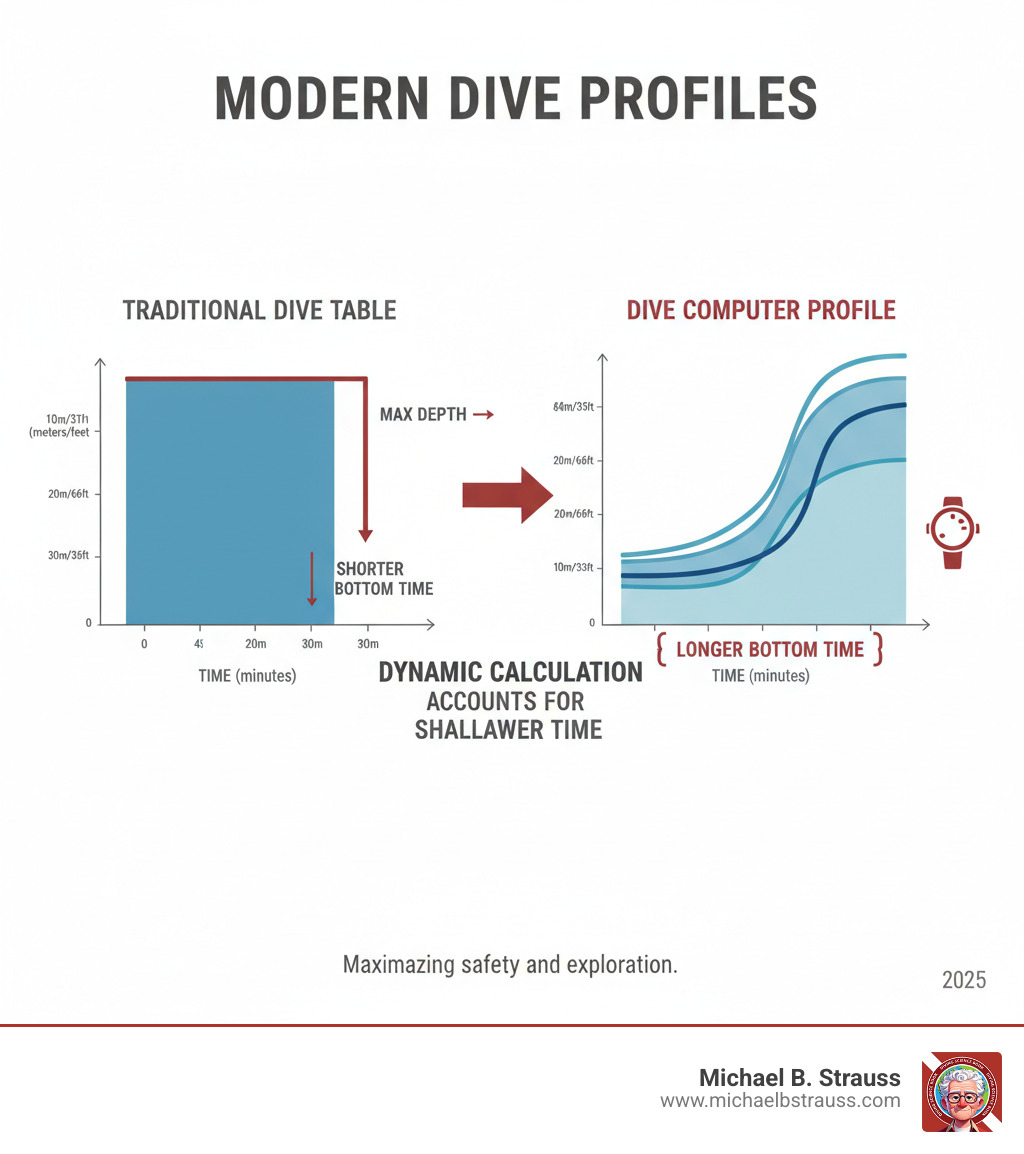
Infographic showing a multilevel dive profile tracked by a dive computer versus the conservative square profile assumed by traditional dive tables, illustrating how computers allow longer bottom times by accounting for time spent at shallower depths - dive computer settings infographic

Why Your Dive Computer Settings Matter

Mastering your dive computer settings is crucial for both beginners and advanced divers. It ensures your device is configured for optimal performance and, most importantly, your safety. Key settings include:

  • Gas mixtures (Air or Nitrox)
  • Safety parameters (Conservatism levels)
  • Alarms (Depth, time, ascent rate)
  • Units (Metric vs. Imperial)
  • Altitude adjustments

By consolidating timers, depth gauges, and dive logs into one device, computers simplify the diving experience while providing the real-time data needed for safer, more enjoyable dives.

Types of Dive Computers

Understanding the main types of dive computers helps you select the right tool for your needs:

  • Wrist-mounted computers: The most popular style, worn like a watch for easy access to information. Many are versatile enough for daily wear.
  • Console-mounted computers: Integrated into your pressure gauge console, keeping all vital information in one place. This simplifies gear but requires looking at your console to check data.
  • Air-integrated computers: These connect wirelessly to a transmitter on your regulator, displaying tank pressure and calculating remaining air time directly on your computer. This provides a complete overview of your gas supply and dive profile.

When choosing, look for key features like nitrox compatibility, a clear display, user-friendly menus, and adjustable conservatism. Your choice will depend on your experience level, diving goals, and budget.

Mastering the Essentials: Foundational Dive Computer Settings

a dive computer screen showing the main menu with options for gas, alarms, and units - dive computer settings

Think of your dive computer as a personal safety assistant. Before entering the water, you must properly configure its foundational dive computer settings. The basic setup is where safety begins.

Start with units of measurement (feet/meters) and ensure the time and date are correct for accurate surface interval calculations. Most importantly, read your user manual. Each model has unique button combinations and features. Understanding them on dry land prevents confusion and stress underwater.

Configuring Gas Mixtures, Alarms, and Safety Stops

Your gas mixture setting is the most critical configuration. For standard air, set it to 21% oxygen. For nitrox diving, you must input the exact oxygen percentage from your tank analysis—typically 32% or 36%. Your computer uses this to calculate your no-decompression limits and your oxygen toxicity exposure, or partial pressure of oxygen (ppO2). Always double-check this setting before each dive, as some computers revert to air after 24 hours.

Alarms are your underwater safety warnings. Set depth alarms to avoid exceeding your planned depth, time alarms to stick to your plan, and NDL alarms to warn you before entering decompression. Crucially, ascent rate alarms help prevent dangerously fast ascents.

The safety stop is another key setting. Most computers default to a 3-minute stop at 15-20 feet. This pause allows your body to safely off-gas excess nitrogen, even on no-decompression dives. Some computers allow you to customize the duration or depth, which is useful in challenging conditions.

For a deeper understanding of why these calculations matter so much, check out more info about decompression science.

Your Pre-Dive, In-Water, and Post-Dive Checklist

Solid habits extend your computer's life and improve your safety. Follow this simple checklist.

Before Your Dive:

  • Check the battery level on your computer and transmitter (if applicable).
  • Verify all settings: units, time, date, and especially your gas mixture.
  • Adjust for altitude if diving above sea level.
  • Sync transmitters for air-integrated models and confirm pressure readings.

During Your Dive:

  • Monitor your NDL regularly.
  • Heed all alarms immediately—they are critical safety warnings.
  • Control your ascent rate, staying within the computer's recommended speed (usually under 30 feet/minute).
  • Complete your safety stop on every dive.

After Your Dive:

  • Rinse the computer thoroughly with fresh water.
  • Store it properly in a cool, dry place away from direct sunlight.
  • Log your dive data using a companion app or traditional logbook.

Open uping Peak Performance: Advanced Dive Computer Settings
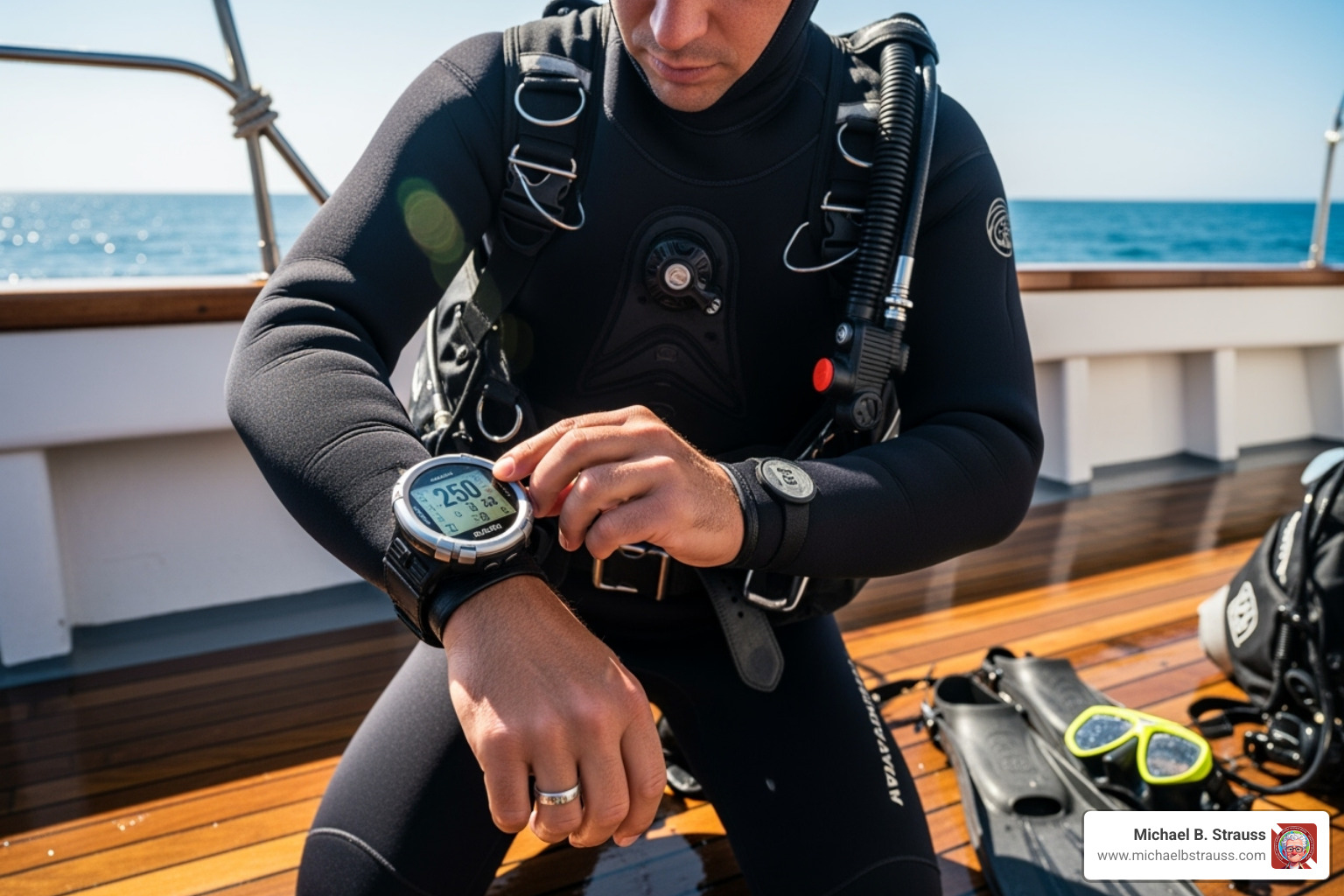
a diver adjusting their dive computer settings before a dive - dive computer settings

Once you've mastered the basics, you can explore advanced dive computer settings to fine-tune your safety margins. These features allow you to adapt your computer's decompression model to your personal physiology and diving conditions.

Whether you're feeling tired, diving in cold water, or planning multiple dives over several days, these settings let you add an extra layer of safety to your dives.

The Safety Buffer: Understanding Conservatism and Gradient Factors

Your dive computer uses a decompression algorithm, like the Bühlmann ZHL-16C model, to track nitrogen in your body. You can adjust this model with personal conservative factors to add a safety buffer. Factors like age, fatigue, cold water, and previous injuries can increase your risk of DCS. For more information on risk factors, consult resources from the Divers Alert Network (DAN). Adjusting your computer's conservatism adds a personal safety buffer.

Gradient Factors (GF) offer more precise control. Expressed as two percentages, GF Low and GF High, they fine-tune your decompression profile. GF Low affects your deeper decompression stops, while GF High controls the shallow stops and overall conservatism. A lower percentage means a more conservative profile. These GFs create a safety envelope around your body's theoretical nitrogen limits (M-values), helping reduce post-dive fatigue by minimizing micro-bubble formation.

Most computers offer preset levels to simplify this:

Conservatism LevelGradient Factor (GF Low/GF High)
Low45/95
Medium (Default)40/85
High35/75

The default setting (e.g., 40/85) is suitable for most recreational dives. You might select a higher conservatism (e.g., 35/75) if you're tired or in challenging conditions. Only adjust these settings after you fully understand their impact.

For a deeper understanding of how all this science works together, check out Learn more about decompression theory and safety.

Fine-Tuning Your Ascent: Decompression Profiles and Altitude

Advanced settings also let you manage your ascent profile. Stepped decompression involves stopping at fixed depths for specific times, a method trusted for decades. Continuous decompression is a more modern approach where the computer creates a "decompression window" with a ceiling and floor. This allows for a smoother, more gradual ascent as you move freely within that range.
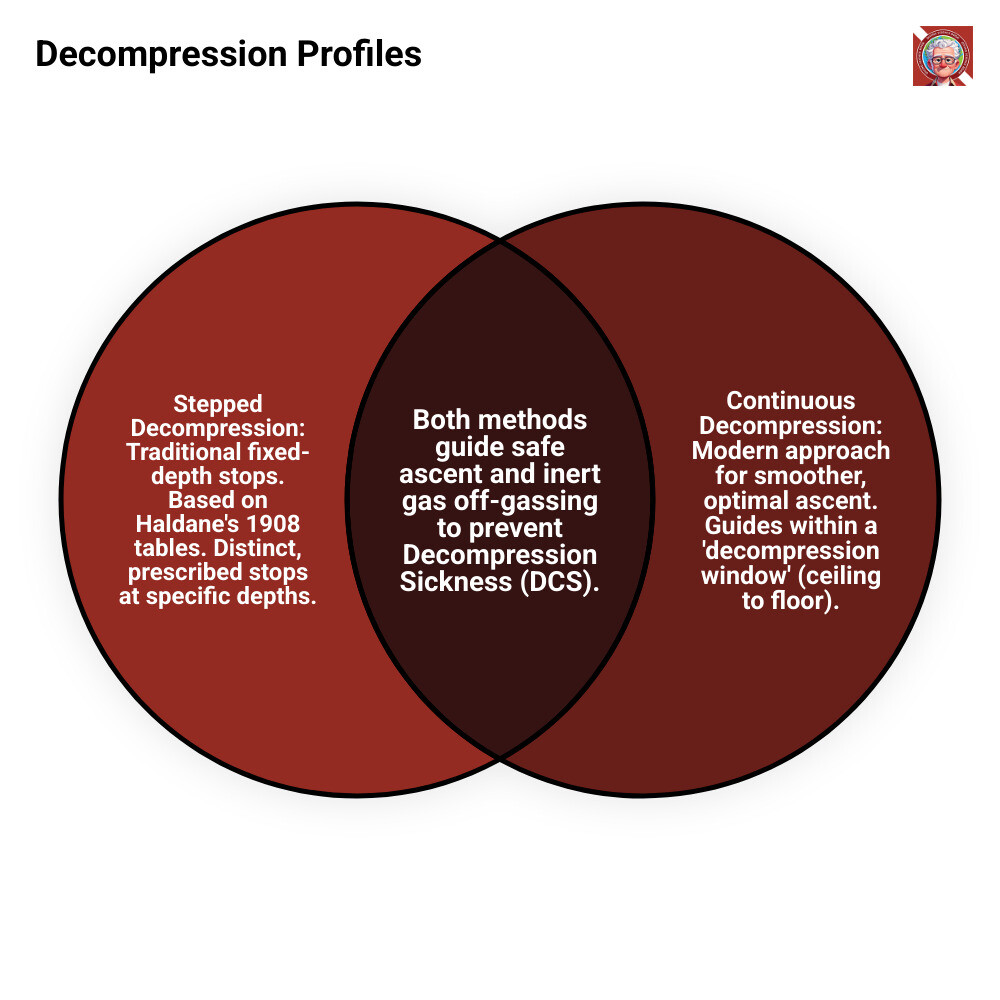
Infographic illustrating the difference between a stepped and a continuous decompression profile, showing a smoother curve for continuous and distinct steps for stepped - dive computer settings infographic venn_diagram

Altitude settings are critical when diving above sea level (over 300m / 1,000ft). Lower atmospheric pressure at altitude affects how your body absorbs nitrogen. Your computer must be set to the correct altitude range to provide accurate decompression calculations. Always allow your body time to acclimatize to a new altitude before diving.

For more insights into when and why decompression sickness occurs, explore Why and at What Sites Decompression Sickness Can Occur.

Common Mistakes and Taking the Next Step in Dive Safety

Even the best computer can't prevent human error. Avoid these common mistakes:

  • Ignoring alarms: Your computer's warnings for ascent rate, NDL, or gas are urgent. Respond immediately.
  • Not verifying your gas mixture: Always confirm your O2% before every dive. An incorrect setting leads to dangerous miscalculations.
  • Forgetting altitude settings: This will make your computer's calculations inaccurate and unsafe.
  • Diving with a low battery: Check your battery before every dive trip. Carry a backup if possible.

The path to safer diving starts with education. Read your manual thoroughly, as every computer is different. Perform regular maintenance, including rinsing and proper storage, to ensure reliability.

Dr. Michael B. Strauss has dedicated his career to diving safety, and his research shows that educated divers are safer divers. By mastering your dive computer settings, you are investing in your own safety and contributing to a safer diving culture for everyone.

To continue your journey toward becoming a more knowledgeable and safer diver, get your copy of "Diving Science Revisited" today. Buy the book here.

DISCLAIMER: Articles are for "EDUCATIONAL PURPOSES ONLY", not to be considered advice or recommendations.

Download Full PDF
Tags:

Beyond the Dive Tables: Why Modern Divers Need Smart Settings

Dive computer settings transform your underwater experience from guesswork to precision. Before these smart devices, divers relied on printed dive tables that assumed a conservative "square" dive profile—calculating bottom time as if you spent the entire dive at the maximum depth. This led to shorter, less flexible dives.

Today, dive computers act as your personal "underwater co-pilot." They constantly monitor your depth and time, recalculating no-decompression limits (NDLs) in real-time. This dynamic approach allows you to safely maximize bottom time, especially during multilevel dives where you explore various depths. The primary benefit is improved safety, significantly reducing the risk of decompression sickness (DCS) by providing precise data and warnings.

For medical professionals like Dr. Emily Carter who value evidence-based practices, understanding these settings becomes crucial for safe diving adventures that complement a demanding career.

Infographic showing a multilevel dive profile tracked by a dive computer versus the conservative square profile assumed by traditional dive tables, illustrating how computers allow longer bottom times by accounting for time spent at shallower depths - dive computer settings infographic

Why Your Dive Computer Settings Matter

Mastering your dive computer settings is crucial for both beginners and advanced divers. It ensures your device is configured for optimal performance and, most importantly, your safety. Key settings include:

  • Gas mixtures (Air or Nitrox)
  • Safety parameters (Conservatism levels)
  • Alarms (Depth, time, ascent rate)
  • Units (Metric vs. Imperial)
  • Altitude adjustments

By consolidating timers, depth gauges, and dive logs into one device, computers simplify the diving experience while providing the real-time data needed for safer, more enjoyable dives.

Types of Dive Computers

Understanding the main types of dive computers helps you select the right tool for your needs:

  • Wrist-mounted computers: The most popular style, worn like a watch for easy access to information. Many are versatile enough for daily wear.
  • Console-mounted computers: Integrated into your pressure gauge console, keeping all vital information in one place. This simplifies gear but requires looking at your console to check data.
  • Air-integrated computers: These connect wirelessly to a transmitter on your regulator, displaying tank pressure and calculating remaining air time directly on your computer. This provides a complete overview of your gas supply and dive profile.

When choosing, look for key features like nitrox compatibility, a clear display, user-friendly menus, and adjustable conservatism. Your choice will depend on your experience level, diving goals, and budget.

Mastering the Essentials: Foundational Dive Computer Settings

a dive computer screen showing the main menu with options for gas, alarms, and units - dive computer settings

Think of your dive computer as a personal safety assistant. Before entering the water, you must properly configure its foundational dive computer settings. The basic setup is where safety begins.

Start with units of measurement (feet/meters) and ensure the time and date are correct for accurate surface interval calculations. Most importantly, read your user manual. Each model has unique button combinations and features. Understanding them on dry land prevents confusion and stress underwater.

Configuring Gas Mixtures, Alarms, and Safety Stops

Your gas mixture setting is the most critical configuration. For standard air, set it to 21% oxygen. For nitrox diving, you must input the exact oxygen percentage from your tank analysis—typically 32% or 36%. Your computer uses this to calculate your no-decompression limits and your oxygen toxicity exposure, or partial pressure of oxygen (ppO2). Always double-check this setting before each dive, as some computers revert to air after 24 hours.

Alarms are your underwater safety warnings. Set depth alarms to avoid exceeding your planned depth, time alarms to stick to your plan, and NDL alarms to warn you before entering decompression. Crucially, ascent rate alarms help prevent dangerously fast ascents.

The safety stop is another key setting. Most computers default to a 3-minute stop at 15-20 feet. This pause allows your body to safely off-gas excess nitrogen, even on no-decompression dives. Some computers allow you to customize the duration or depth, which is useful in challenging conditions.

For a deeper understanding of why these calculations matter so much, check out more info about decompression science.

Your Pre-Dive, In-Water, and Post-Dive Checklist

Solid habits extend your computer's life and improve your safety. Follow this simple checklist.

Before Your Dive:

  • Check the battery level on your computer and transmitter (if applicable).
  • Verify all settings: units, time, date, and especially your gas mixture.
  • Adjust for altitude if diving above sea level.
  • Sync transmitters for air-integrated models and confirm pressure readings.

During Your Dive:

  • Monitor your NDL regularly.
  • Heed all alarms immediately—they are critical safety warnings.
  • Control your ascent rate, staying within the computer's recommended speed (usually under 30 feet/minute).
  • Complete your safety stop on every dive.

After Your Dive:

  • Rinse the computer thoroughly with fresh water.
  • Store it properly in a cool, dry place away from direct sunlight.
  • Log your dive data using a companion app or traditional logbook.

Open uping Peak Performance: Advanced Dive Computer Settings

a diver adjusting their dive computer settings before a dive - dive computer settings

Once you've mastered the basics, you can explore advanced dive computer settings to fine-tune your safety margins. These features allow you to adapt your computer's decompression model to your personal physiology and diving conditions.

Whether you're feeling tired, diving in cold water, or planning multiple dives over several days, these settings let you add an extra layer of safety to your dives.

The Safety Buffer: Understanding Conservatism and Gradient Factors

Your dive computer uses a decompression algorithm, like the Bühlmann ZHL-16C model, to track nitrogen in your body. You can adjust this model with personal conservative factors to add a safety buffer. Factors like age, fatigue, cold water, and previous injuries can increase your risk of DCS. For more information on risk factors, consult resources from the Divers Alert Network (DAN). Adjusting your computer's conservatism adds a personal safety buffer.

Gradient Factors (GF) offer more precise control. Expressed as two percentages, GF Low and GF High, they fine-tune your decompression profile. GF Low affects your deeper decompression stops, while GF High controls the shallow stops and overall conservatism. A lower percentage means a more conservative profile. These GFs create a safety envelope around your body's theoretical nitrogen limits (M-values), helping reduce post-dive fatigue by minimizing micro-bubble formation.

Most computers offer preset levels to simplify this:

Conservatism LevelGradient Factor (GF Low/GF High)
Low45/95
Medium (Default)40/85
High35/75

The default setting (e.g., 40/85) is suitable for most recreational dives. You might select a higher conservatism (e.g., 35/75) if you're tired or in challenging conditions. Only adjust these settings after you fully understand their impact.

For a deeper understanding of how all this science works together, check out Learn more about decompression theory and safety.

Fine-Tuning Your Ascent: Decompression Profiles and Altitude

Advanced settings also let you manage your ascent profile. Stepped decompression involves stopping at fixed depths for specific times, a method trusted for decades. Continuous decompression is a more modern approach where the computer creates a "decompression window" with a ceiling and floor. This allows for a smoother, more gradual ascent as you move freely within that range.

Infographic illustrating the difference between a stepped and a continuous decompression profile, showing a smoother curve for continuous and distinct steps for stepped - dive computer settings infographic venn_diagram

Altitude settings are critical when diving above sea level (over 300m / 1,000ft). Lower atmospheric pressure at altitude affects how your body absorbs nitrogen. Your computer must be set to the correct altitude range to provide accurate decompression calculations. Always allow your body time to acclimatize to a new altitude before diving.

For more insights into when and why decompression sickness occurs, explore Why and at What Sites Decompression Sickness Can Occur.

Common Mistakes and Taking the Next Step in Dive Safety

Even the best computer can't prevent human error. Avoid these common mistakes:

  • Ignoring alarms: Your computer's warnings for ascent rate, NDL, or gas are urgent. Respond immediately.
  • Not verifying your gas mixture: Always confirm your O2% before every dive. An incorrect setting leads to dangerous miscalculations.
  • Forgetting altitude settings: This will make your computer's calculations inaccurate and unsafe.
  • Diving with a low battery: Check your battery before every dive trip. Carry a backup if possible.

The path to safer diving starts with education. Read your manual thoroughly, as every computer is different. Perform regular maintenance, including rinsing and proper storage, to ensure reliability.

Dr. Michael B. Strauss has dedicated his career to diving safety, and his research shows that educated divers are safer divers. By mastering your dive computer settings, you are investing in your own safety and contributing to a safer diving culture for everyone.

To continue your journey toward becoming a more knowledgeable and safer diver, get your copy of "Diving Science Revisited" today. Buy the book here.

DISCLAIMER: Articles are for "EDUCATIONAL PURPOSES ONLY", not to be considered advice or recommendations.